
ICS Village DEF CON 34 Badge
The DEF CON 34 ICS Village Badge is a field instrument engineered for Operational Technology (OT), Industrial Control Systems (ICS), and automotive security researchers. It focuses on robust, multi-protocol hardware interfacing and delivers direct, low-level physical access to the critical communication lines driving modern automation, substations, and heavy machinery.
This badge consolidates the sort of hardware that normally lives on separate bench tools into a single portable platform. It is designed for auditing legacy systems, modern automotive networks, and industrial links without carrying a pile of breakout boards, adapters, and resistor packs.
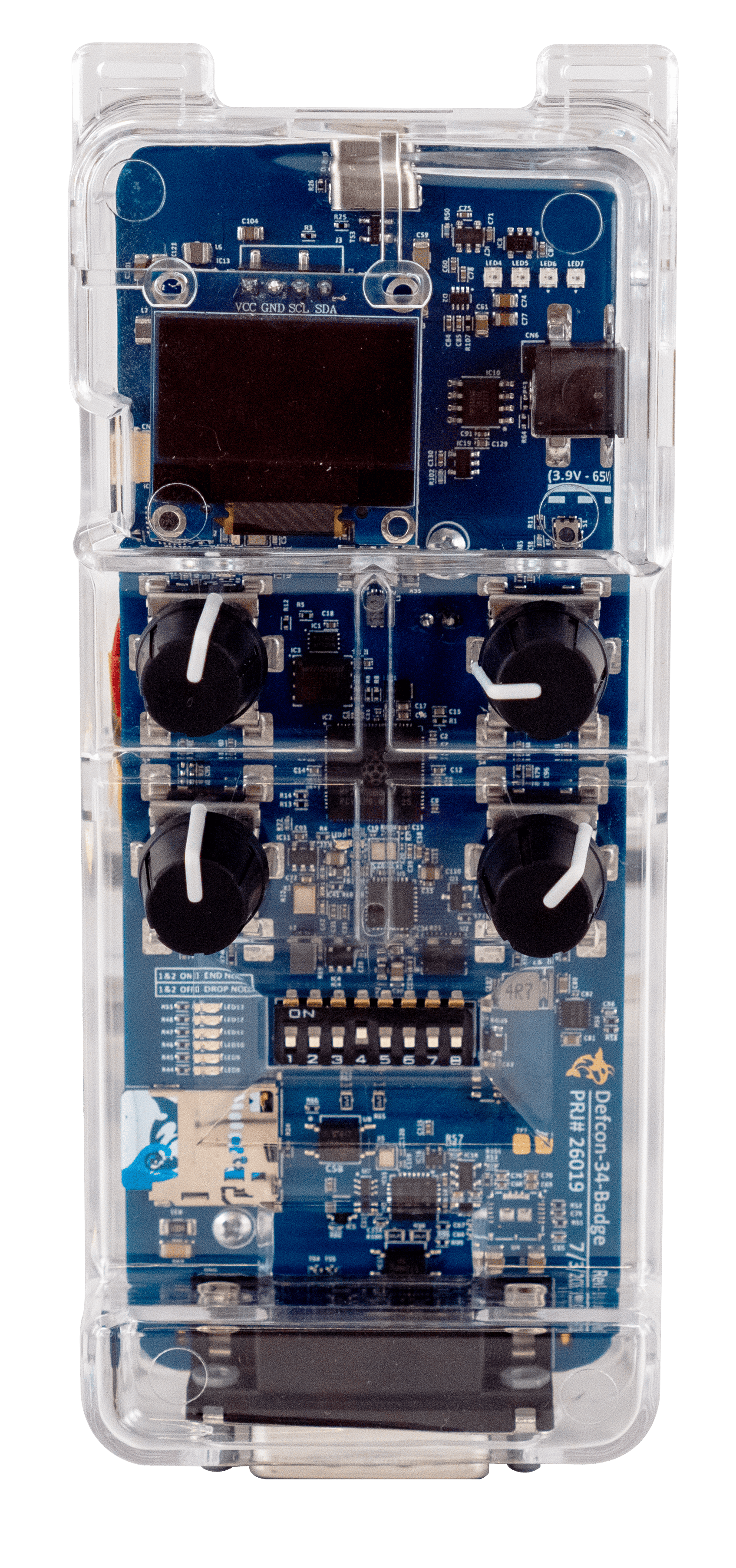
Key hardware
- Main CPU
- Raspberry Pi RP2350B-A4
- RS485
- Modbus RTU capable, for PLC, RTU, and SCADA sniffing or tapping; also SAE J1708, see J1708 wiring
- CAN / CANFD
- Direct access for automotive networks and factory-floor systems
- 10BASE-T1S
- Short-reach single-pair Ethernet with onboard physical termination switch; see DIP switch settings
- 10BASE-T1L
- Long-reach single-pair Ethernet for industrial links
- Storage / UI
- SD card slot, I2C OLED screen, 4x rotary encoders, 4x programmable RGB LEDs
- Enclosure
- Clear custom-molded case for field use
Key software
- Firmware
- Runs FreeWili Porpoise Purpose Firmware
- API support
- Compatible with FreeWili OneWili API for Rust, C/C++, Python, rThon, and WASM
- USB interface
- Serial terminal USB interface
Power subsystem
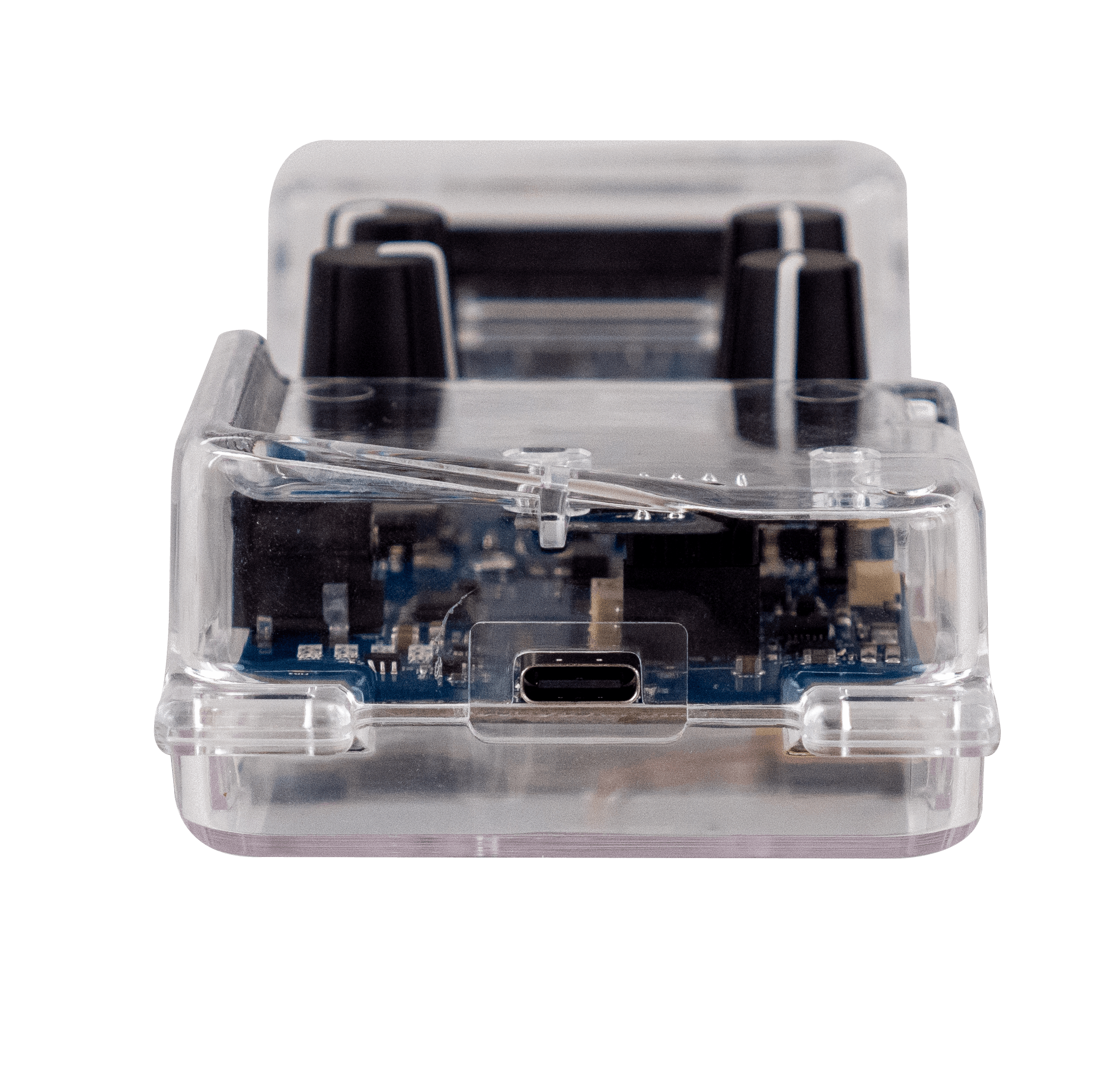
- USB-C input
- 5 V USB power only; the badge does not support other power sources
To replicate the capabilities of this single badge on a standard electronics workbench, a security analyst would normally spend hundreds of dollars on separate equipment. This design consolidates single-pair Ethernet, physical bus termination, CAN, CAN FD, and RS485 into one compact board.
DB-15 pinout
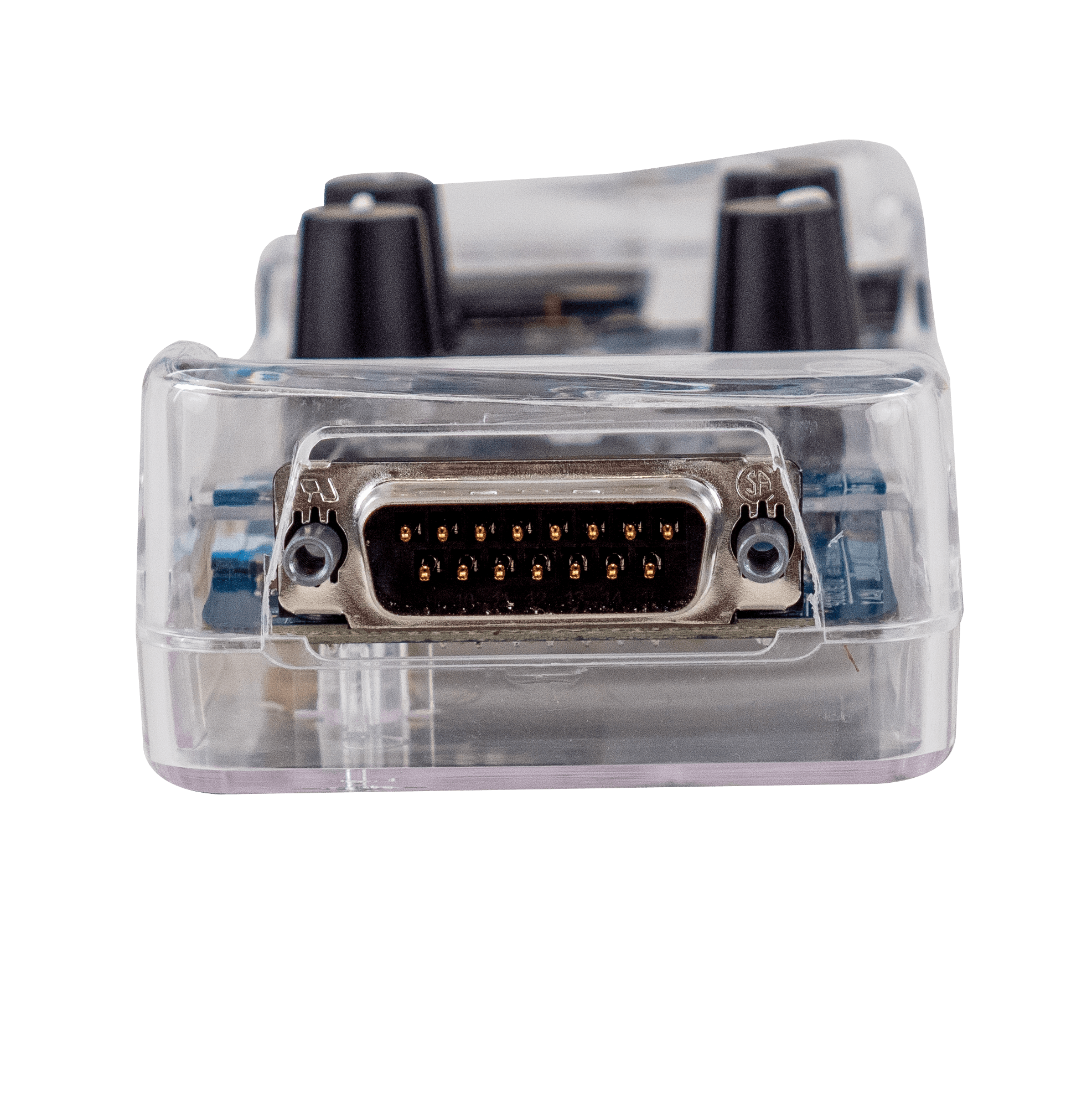
The badge uses a male DB-15 connector. The view below looks straight into the pins, with the wide row of eight on top and pin 1 at the top left.
| Pin | Signal | Description |
|---|---|---|
| 1 | T1S P | 10BASE-T1S positive |
| 2 | T1S N | 10BASE-T1S negative |
| 3 | T1L P | 10BASE-T1L positive |
| 4 | RS485 P | RS485 non-inverting line (A) |
| 5 | NC | Not connected |
| 6 | CAN H | CAN / CAN FD high |
| 7 | NC | Not connected |
| 8 | GND | Ground, signal and power return |
| 9 | T1S P | 10BASE-T1S positive, joined to pin 1 |
| 10 | T1S N | 10BASE-T1S negative, joined to pin 2 |
| 11 | T1L N | 10BASE-T1L negative |
| 12 | RS485 N | RS485 inverting line (B) |
| 13 | MISC DIO | General-purpose digital I/O, 5 V logic |
| 14 | CAN L | CAN / CAN FD low |
| 15 | DC V+* | External DC power input is not supported on this badge |
* The DEF CON badge supports USB power only. Powering through DC V+ (DB-15 pin 15) or any source other than USB is not supported.
The 10BASE-T1S pair is brought out twice. Pins 1 and 9 are joined inside the badge, as are pins 2 and 10, so a multidrop segment can come in on one pair and continue on the other.
Eight-position DIP switch
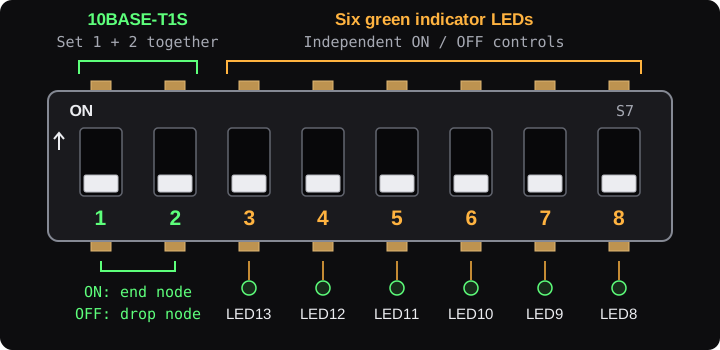
The switch bank marked S7 controls 10BASE-T1S termination on switches 1 and 2 and six green indicator LEDs on switches 3–8. With the badge front facing you and USB-C at the top, the switches run from 1 on the left to 8 on the right. Move a switch toward the ON marking to turn it on.
| Switch | Function | ON | OFF |
|---|---|---|---|
| 1 + 2 | 10BASE-T1S termination | Both ON: end node | Both OFF: drop node |
| 3 | Green LED13 | LED on | LED off |
| 4 | Green LED12 | LED on | LED off |
| 5 | Green LED11 | LED on | LED off |
| 6 | Green LED10 | LED on | LED off |
| 7 | Green LED9 | LED on | LED off |
| 8 | Green LED8 | LED on | LED off |
Set switches 1 and 2 together: use both ON when the badge is at either physical end of the T1S bus, or both OFF when it is an intermediate drop node. Switches 3–8 can be set independently. CAN and RS485 use separate electronic termination controls.
SAE J1708 wiring
The badge can join an SAE J1708 heavy-vehicle bus, the network that J1587 runs on, and both transmit and receive at 9600 baud through its RS485 transceiver. J1708 uses the RS485 pair: pin 4 is J1708 A (+), pin 12 is J1708 B (−) and pin 8 is ground.
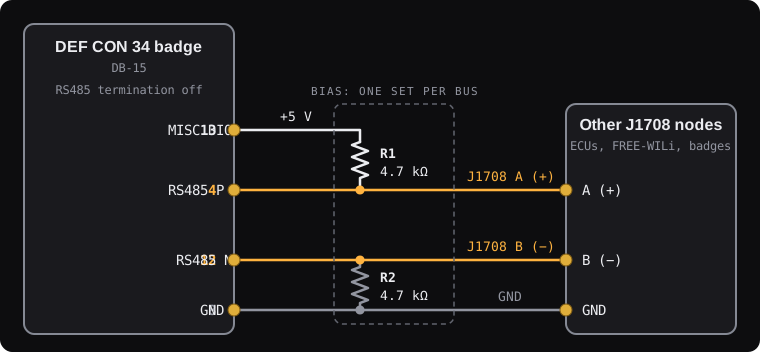
Unlike ordinary RS485, a J1708 transmitter only drives the wires to send a 0. To send a 1, and whenever the bus is idle, it lets go of the wires, and two bias resistors pull A above B so every receiver reads a 1. This lets two devices start talking at once without a conflict: a 0 always wins, and the device that sent a 1 sees the 0, stops and tries again. Without the bias resistors, an idle bus has no defined level.
With Bias 5V Pin 13 turned on, pin 13 supplies the 5 V for the pull-up, so a bench bus needs just the two resistors in the table below. Fit one set of bias resistors per bus. Vehicle J1708 networks are normally biased by the ECUs already on them; there, connect only A, B and GND.
In the badge's SAE J1708 menu, turn on Enable, then turn on Bias 5V Pin 13 on the one device the resistors are wired to. With the setting off, or while J1708 is not running, pin 13 is high impedance and never pulls low, so the pin 13 of several devices can share one wire. The badge switches its RS485 termination off while J1708 runs, as J1708 is not terminated.
| Part | Value | Connects |
|---|---|---|
| R1 | 4.7 kΩ | Pin 13 (MISC DIO, 5 V) to pin 4 (J1708 A) |
| R2 | 4.7 kΩ | Pin 12 (J1708 B) to pin 8 (GND) |
J1708 requires badge firmware with SAE J1708 support.